Here
Clipboard at cursor, without keyboard.
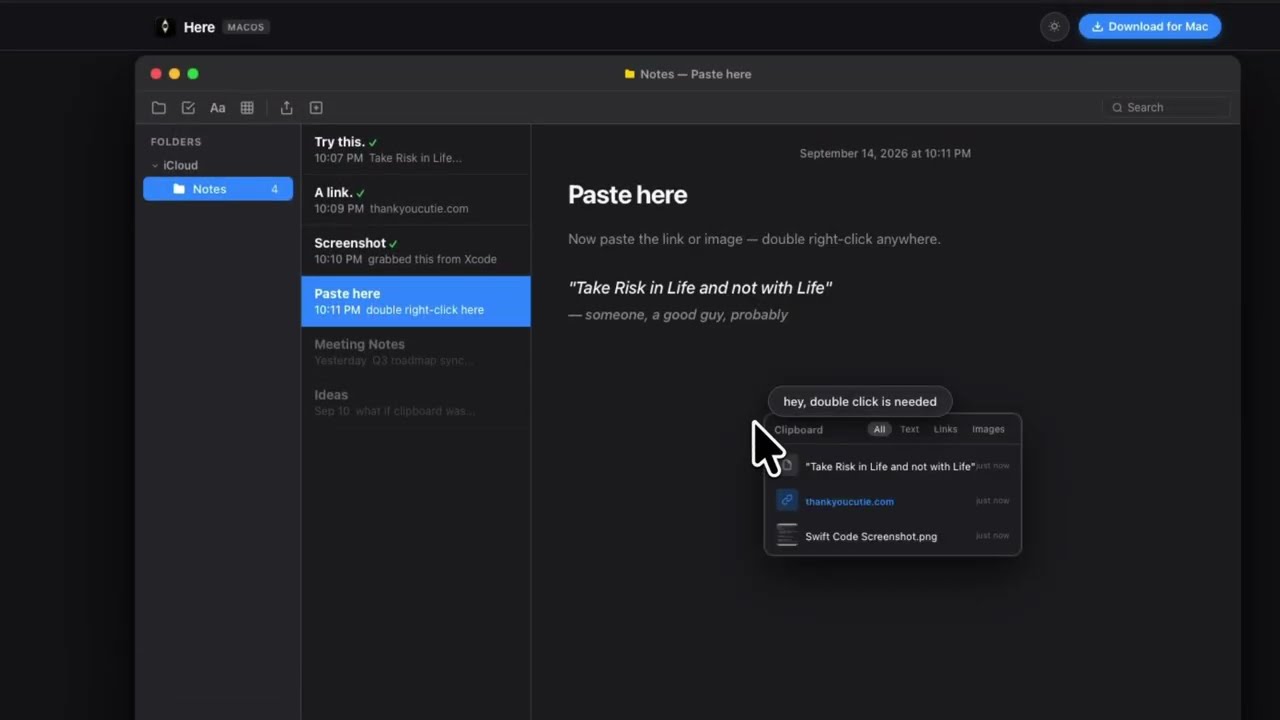
Here is a macOS application that brings your clipboard history to your cursor. Double right-click anywhere to open a small clipboard panel, then click an item to paste it, so your hand never has to leave the mouse. This tool is designed for designers, researchers, and anyone who works mouse-first and wants faster copy and paste.
Key Features:
- Opens clipboard history at your cursor with a double right-click.
- Pastes text, links and images with a single click.
- Shows a side hover preview before you paste.
- Filters clips by text, links or images.
- Works fully offline with no cloud, account or internet connection.
Here is a macOS clipboard extension that opens your clipboard history right at your cursor with a double right-click. It lets you paste text, links and images without touching the keyboard.



