Bayview
Hassle-free window management for Mac.
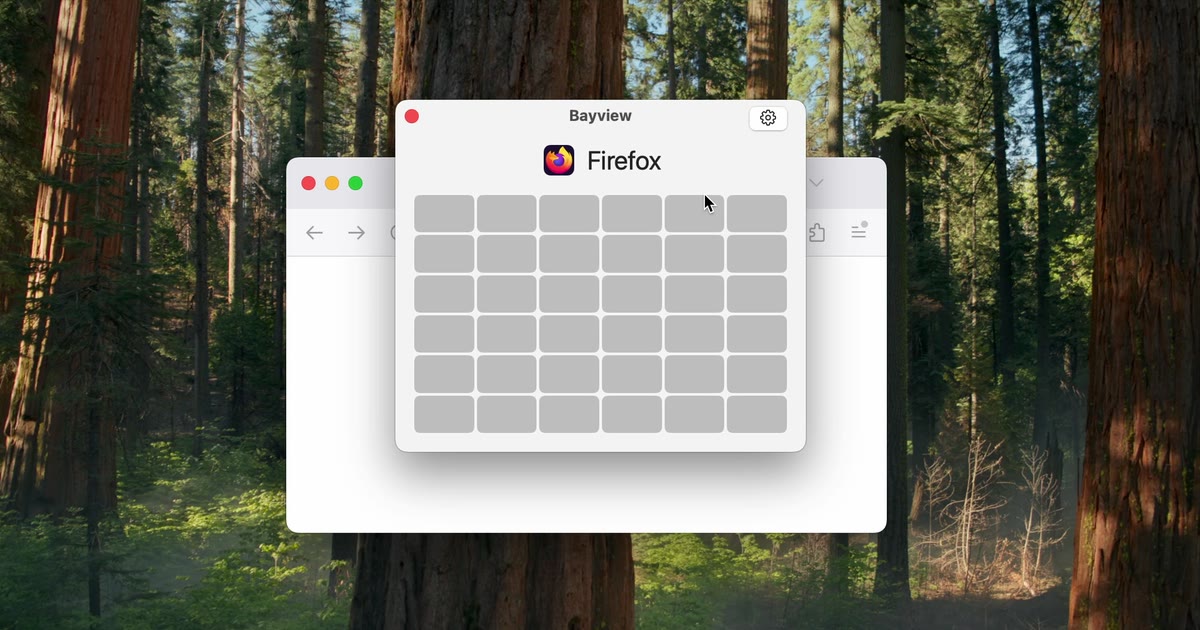
Bayview is a grid-based window manager for Mac that lets you resize and move windows by dragging across a grid. Click the Bayview icon in the menu bar or press your shortcut, drag across the cells you want the window to fill and let go. The grid starts at 6 by 6 and can be made as fine as 12 by 12 for precise layouts. You can save any spot on the grid as a custom shortcut, such as the left half of the screen, and send the front window there without opening the grid at all. Pressing the same shortcut twice teleports a window to your next display, and keybinds let you grow, shrink or nudge windows one cell at a time so you can go completely mouseless. Every keybind is fully customizable, and Bayview works across multiple displays on macOS 13 or later.
Key Features:
- Grid Resizing: drag across cells to place and size any window
- Adjustable Grid: from 6 by 6 up to 12 by 12 for precise layouts
- Custom Shortcuts: save favourite positions and apply them instantly
- Teleport Windows: press a shortcut twice to move a window to the next screen
- Mouseless Control: keybinds to grow, shrink and nudge windows by a cell
Bayview gives you fast, precise control over your Mac windows, with a 6-hour free trial and a one-time $9.99 license for up to three devices.



