CopyPasta
Your clipboard, served from the notch.
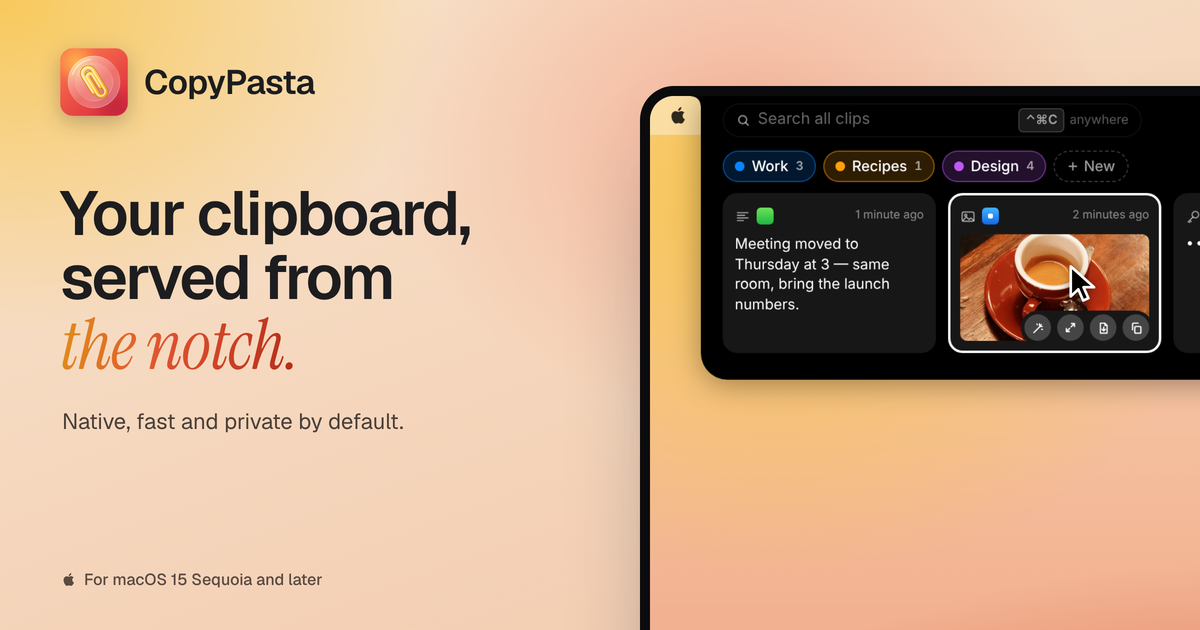
CopyPasta is a macOS clipboard manager that opens from the notch, or a virtual notch on Macs without one, when you hover over it or press Control-Command-C. It saves text, links, code, JSON, images, screenshots, files, vector graphics and colours, and merges identical repeat copies into one entry. Passwords, API keys and tokens are hidden, and older clips require Touch ID or your Mac password to view. Paste Stack pastes copied items one by one in order, and full-history search comes with category tabs and keyboard controls. It reads text from screenshots, includes an image editor with blur and a beautifier with social media presets, and shows colour cards with HEX, RGB and HSL values. Data is encrypted with AES-256, with optional iCloud sync.
Key Features:
- Notch Clipboard: hover the notch or press ⌃⌘C
- Everything Saved: text, code, images, files and colours
- Secure by Default: hides secrets, Touch ID for older clips
- Paste Stack: paste multiple items in order
- Screenshot Tools: OCR, blur editor and beautifier
CopyPasta makes your clipboard history beautiful and secure from the notch, with a 7-day free trial and one-time launch prices from $14.99.



