See Your Disk
See what fills your Mac.
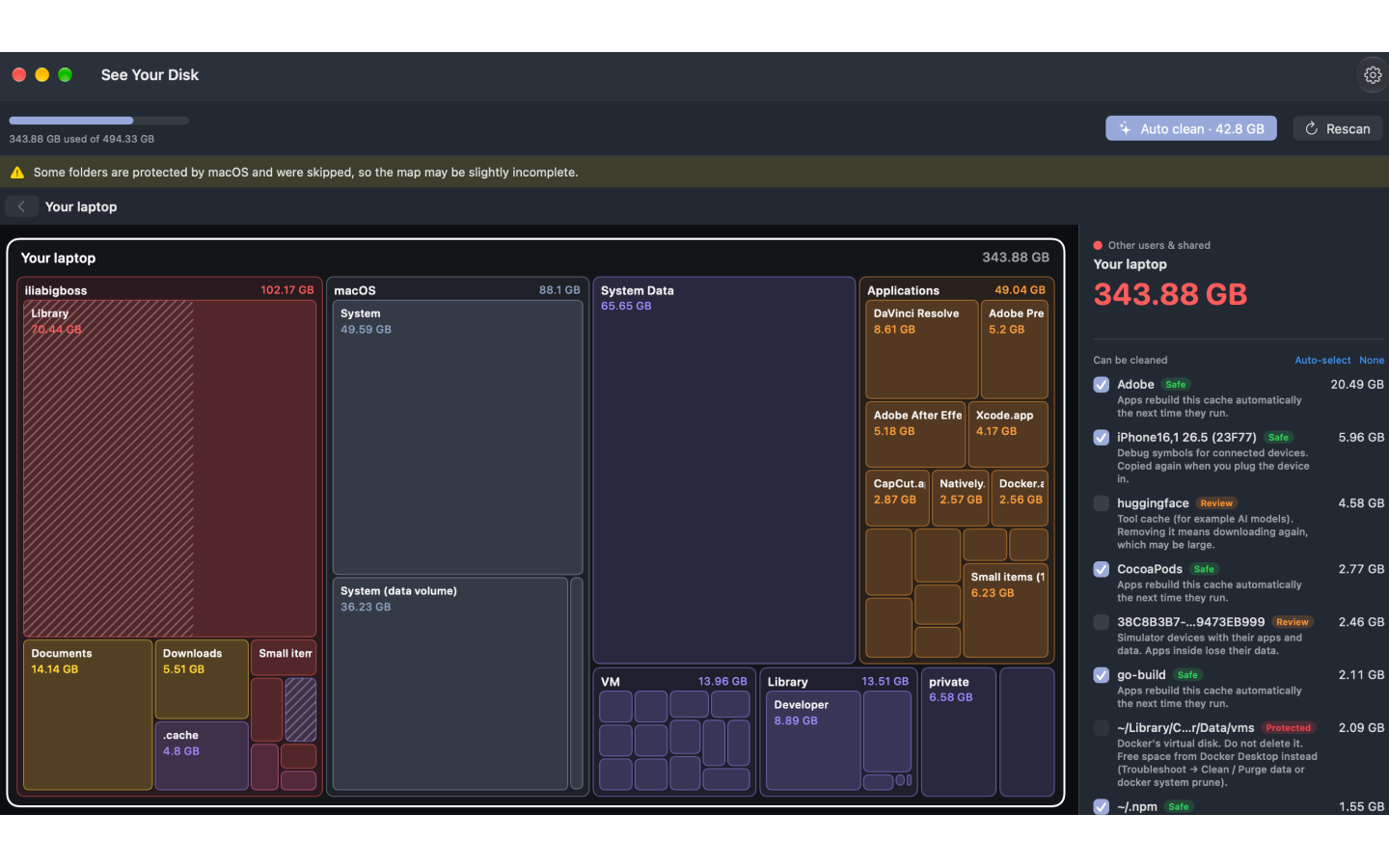
See Your Disk is a disk space visualizer and safe cleaner for Mac that turns your storage into a map of blocks, where every block is a folder and its size shows how much space it takes. Click a block to see what's inside, double-click to open it, and drill down through blocks inside blocks right to individual files. It splits your storage the same way Settings does, separating macOS, System Data, apps, documents and developer data so the mystery gigabytes finally have a place. Auto Clean removes only what apps rebuild on their own, such as caches, logs and build leftovers, and anything not clearly safe goes to the Trash first. You can also pick items yourself, with each one marked Safe, Review or Protected before you confirm. It finds developer clutter like Xcode DerivedData and simulators, npm, Gradle and Cargo caches, Hugging Face models and Docker data, and nothing ever leaves your Mac.
Key Features:
- Block Map: see every folder as a block sized by the space it uses
- System Data Breakdown: macOS, System Data, apps and developer data shown separately
- Auto Clean: one click removes only safe caches, logs and build leftovers
- Safe, Review or Protected: every item labelled, with Trash-first deletion
- Private and Open Source: no accounts, analytics or tracking
See Your Disk makes it easy to understand and safely reclaim Mac storage, free to download with cleaning unlocked for $4.99 a month or $19.99 once, plus a free open-source edition on GitHub.



