CTA
A teleprompter under your notch.
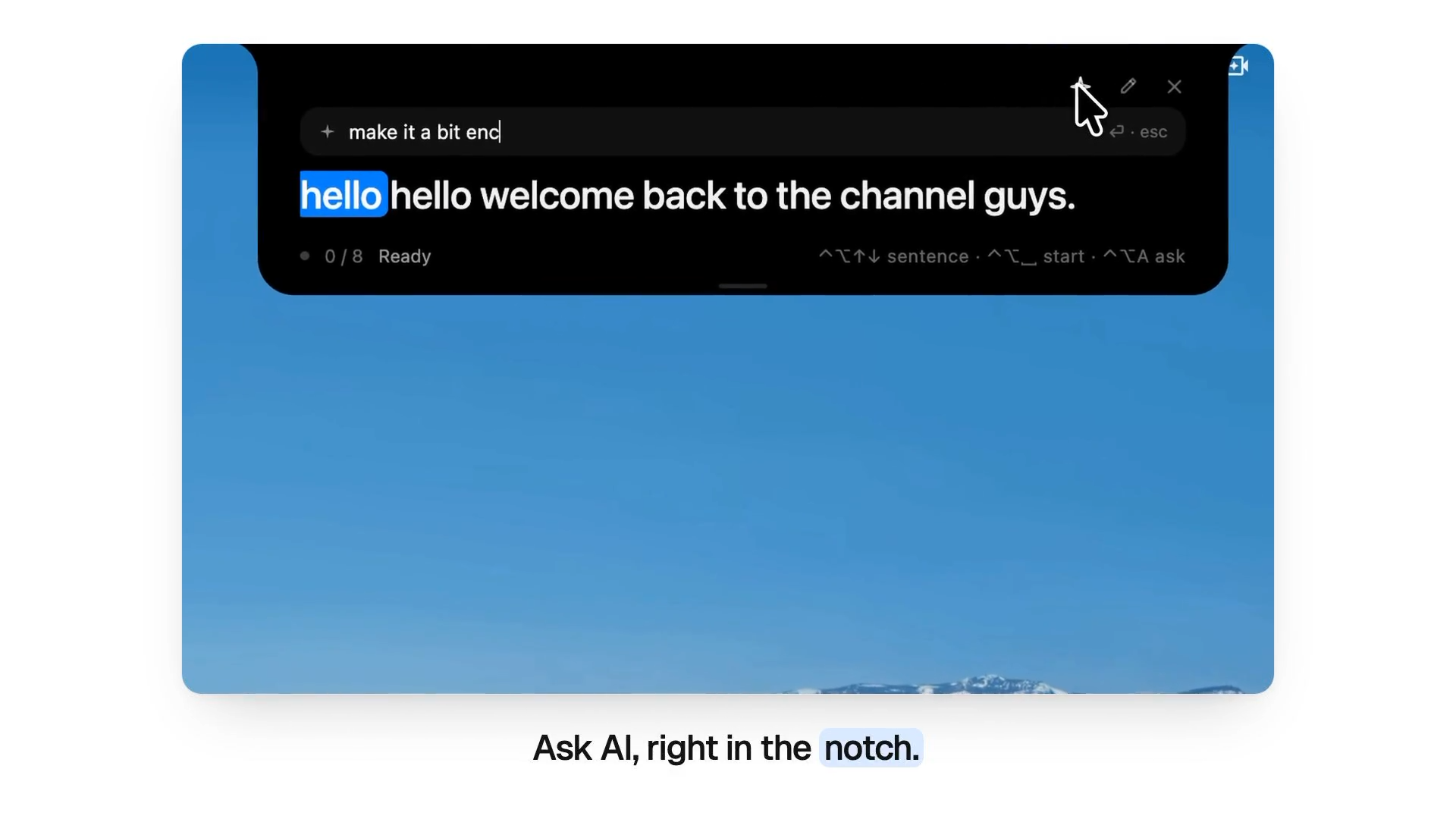
CTA is a macOS application that functions as a teleprompter placed directly under the MacBook notch. It follows your voice as you read, scrolls your script automatically, and uses AI to help you write and polish it, while staying hidden from screen shares and recordings. This tool is designed for creators, presenters, and professionals who record videos or join calls and want to keep their eyes near the camera.
Key Features:
- Shows your script in a small panel under the notch, right below the camera.
- Follows your voice to highlight and scroll the current word, with speech recognized on your Mac.
- Stays hidden from Zoom, Meet, OBS and QuickTime during screen sharing and recording.
- Writes scripts from notes, Notion pages, Google Docs or files with AI.
- Rewrites scripts to be easier to say, fit a time limit, or follow your instructions.
CTA is a macOS teleprompter that sits under the notch and follows your voice as you read. It stays invisible on screen share and uses AI to write and polish your scripts.



