Astro
App Store Optimization that actually grows your app
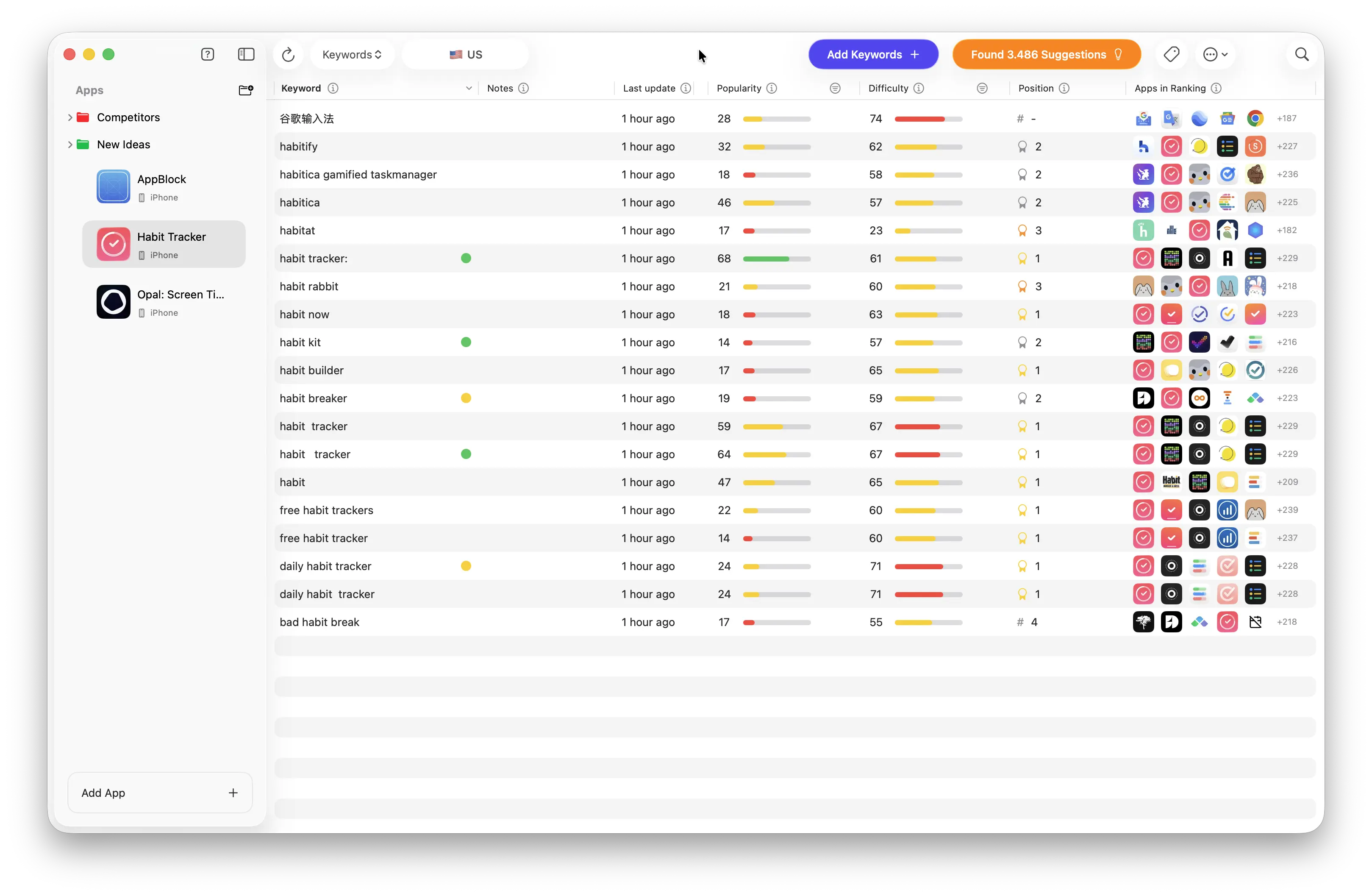
Astro is a native Mac App Store Optimization (ASO) tool that helps iOS developers discover the keywords their users are actually searching for and grow app downloads up to 10x faster.
Astro pulls popularity data directly from Apple Search Ads, calculates how difficult it is to rank in the top 10 for any keyword, and suggests new keywords based on your competitors' rankings — all from a clean, minimal interface designed for daily research.
It tracks unlimited keywords and apps with a fixed annual subscription (no per-keyword fees), updates rankings every day across 60+ App Store countries, includes DeepL-powered translation, and surfaces new reviews from every store worldwide.
90% of Astro users see an increase in App Store impressions within the first week of updating their metadata.
Core features
Unlimited keyword and app tracking with a flat annual price
Real popularity and difficulty data sourced from Apple Search Ads
Daily ranking updates, historical charts, and position-change tracking
Keyword suggestions plus competitor keyword extraction
60+ App Store country coverage with instant DeepL keyword translations
Worldwide review tracking and detailed rating analysis
Trusted by thousands of indie developers and teams behind HabitKit, Dumb Phone, and other top App Store apps — #1 Product of the Day on Product Hunt.
Astro FAQ
How can I generate an invoice with my company details?+
After completing checkout, you can generate your own invoice at any time. Just log in at app.lemonsqueezy.com/my-orders, select your Astro order, and you'll be able to create an invoice. During this step you can also add your company name and any other billing details you need.
Can I request a refund?+
Certainly. When you activate an Astro subscription, you have 14 days to request a refund. To do so, simply send us an email at hello@tryastro.app.
How do I manage my subscription?+
To manage your subscription, you need to create an account on Lemon Squeezy (the payment provider) using the same email you used at purchase. Once created, you can manage your subscription there.