iloveframes
The screen recorder that edits itself
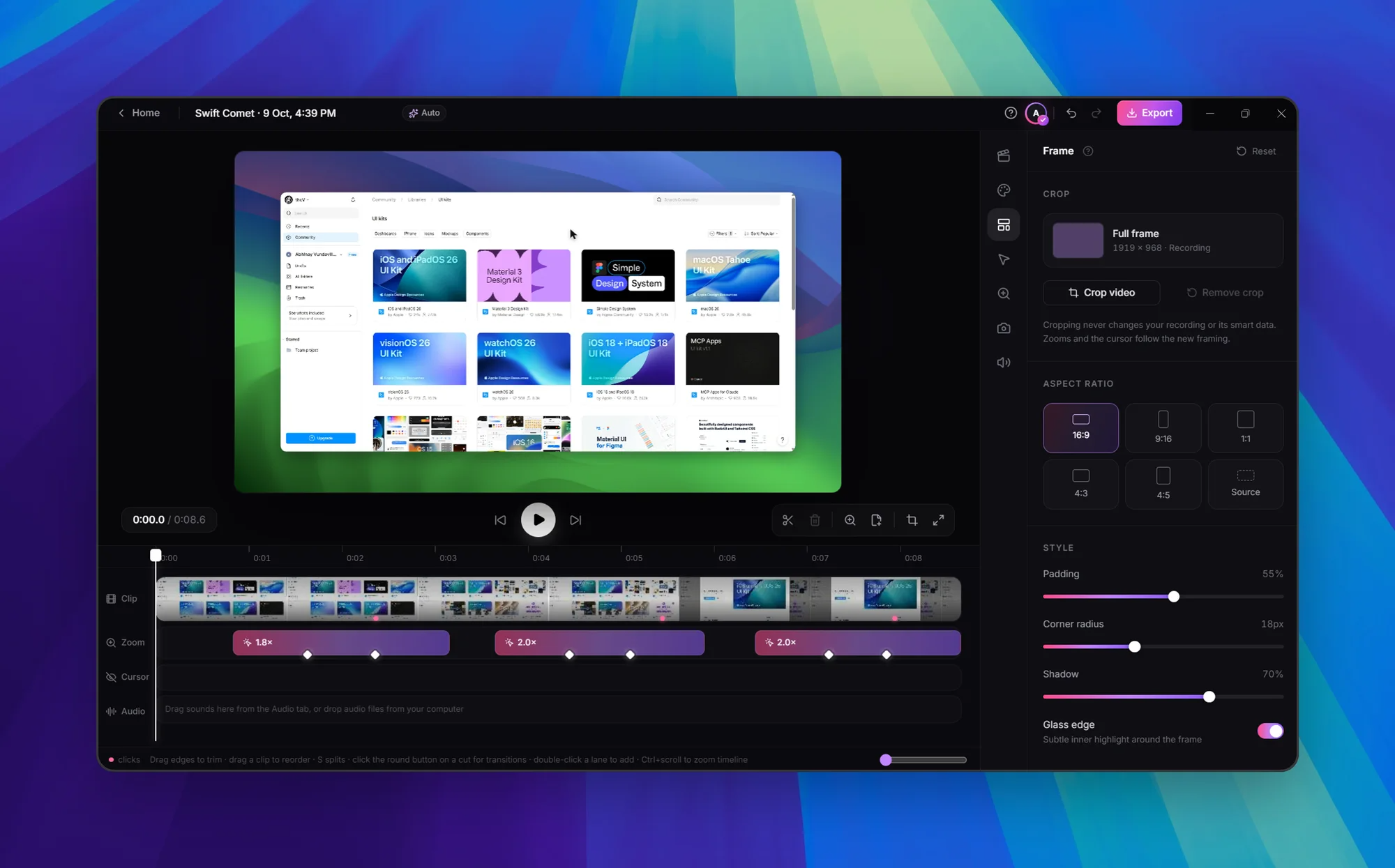
iloveframes is a screen recorder for macOS and Windows that turns a single recording into a polished product walkthrough automatically. As you record, it watches where you click and type, then adds smooth auto-zooms that ease into exactly that spot and back out, along with a cinematic cursor. Every click and keystroke gets a tactile sound you can tune or turn off, and you can add music, a voice-over or your mic with noise suppression. Put your face in the video with a webcam bubble that shrinks during zooms so it never covers what you're showing, then set your screen on a beautiful background with real depth. A timeline editor lets you drag, stretch or add zooms at any time before exporting.
Key Features:
- Automatic Zooms: zooms land on clicks and typing with no keyframing
- Cinematic Cursor and Sounds: smooth cursor plus tunable click and keyboard sounds
- Webcam Bubble: circle, rounded or portrait shapes that shrink during zooms
- Beautiful Backgrounds: gallery-ready frames for every recording
- Timeline Editor: adjust zooms, music and voice-over before export
iloveframes makes demo videos look professionally edited with no editing work, available as a lifetime deal with a 24-hour free trial.