Orange
Convert any file right where it sits.
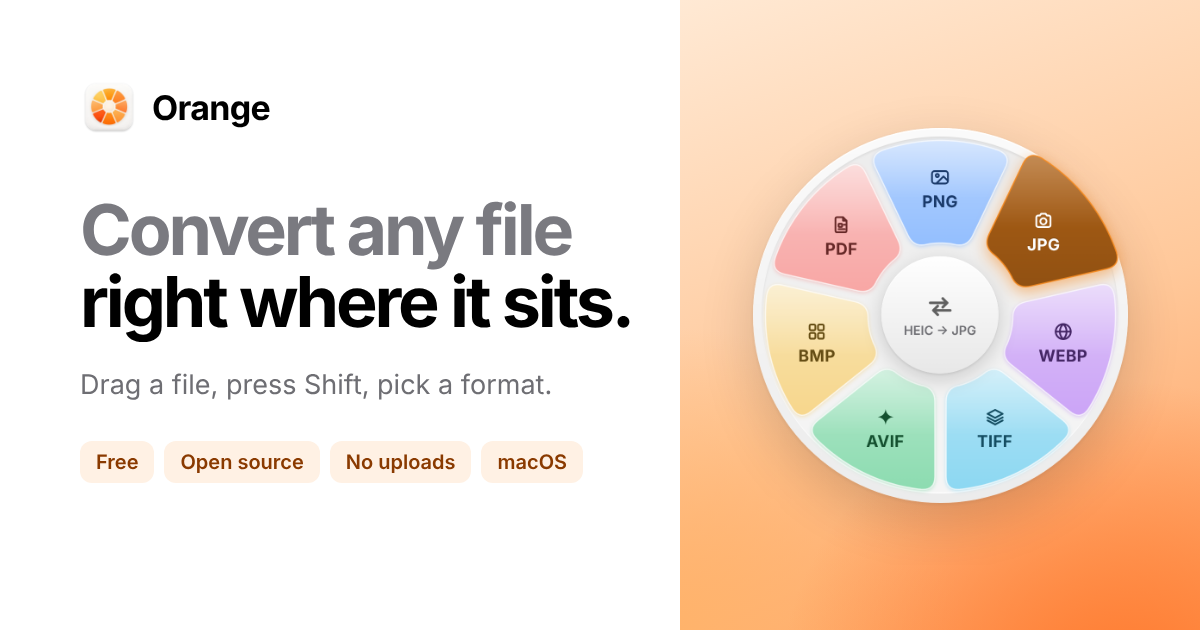
Orange is a free file converter that lives in your Mac's menu bar. Drag any file, press Shift, and pick a format from a wheel that opens under your pointer, then let go and the converted file appears next to the original. It supports 55 file types including HEIC, PDF, MOV, MP3, Word, PowerPoint and Excel, and free tools like ffmpeg add more formats automatically once installed. You can drop a dozen files on the wheel to convert them all together, use arrow keys, Return or number keys to pick a format without the mouse, and feel haptic ticks on your trackpad as you cross each format. Long video conversions move to a small panel so you can keep working, and every conversion runs on your Mac with nothing uploaded.
Key Features:
- Drag, Shift, Release: convert files with one gesture from the menu bar
- 55 File Types: images, video, audio, PDFs and Office documents
- Batch Conversion: drop many files on the wheel at once
- Keyboard and Haptics: pick formats with keys and feel each selection
- Fully Local: no uploads, with output saved next to the original
Orange makes file conversion on the Mac quick and private, and it's completely free forever.