
Winq
Look. Wink. Done.
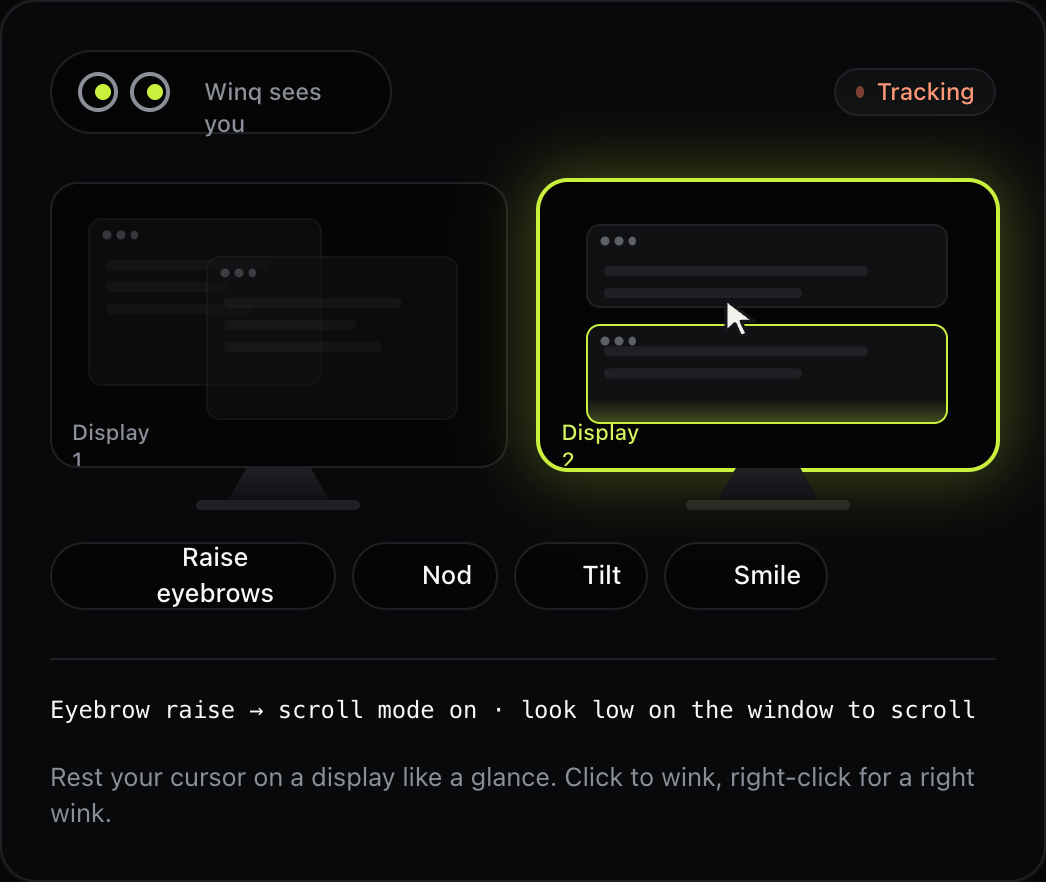
Winq turns your Mac's camera into a hands-free input, letting you control your Mac with your eyes and face. Glance at a display or window to focus it, and Winq raises it and puts the pointer where you're looking so your next keystroke lands there. Raise your eyebrows to turn on scroll mode and look toward the top or bottom of the window to scroll, then wink with your left eye to left-click or your right eye to right-click, while normal blinks are ignored. Ten facial gestures like nods, tilts and smiles can be bound to any shortcut, globally or per app. Winq is designed both for people with RSI, carpal tunnel or limited hand mobility and for developers who want speed. It lives in your menu bar, needs only a 720p camera at 15 fps, and runs entirely on your Mac, with no frames saved to disk or sent anywhere.
Key Features:
- Gaze Focus: look at a display or window to focus it
- Eyebrow Scroll: raise your eyebrows and look to scroll
- Wink Clicks: left and right winks for left and right clicks
- Gesture Shortcuts: 10 facial gestures bound to any shortcut
- Fully On-Device: no frames saved or sent anywhere
Winq offers a clever hands-free way to control your Mac for accessibility and speed, with a free one-day trial and a one-time $7.87 price.



