Zipic
Save space, keep quality.
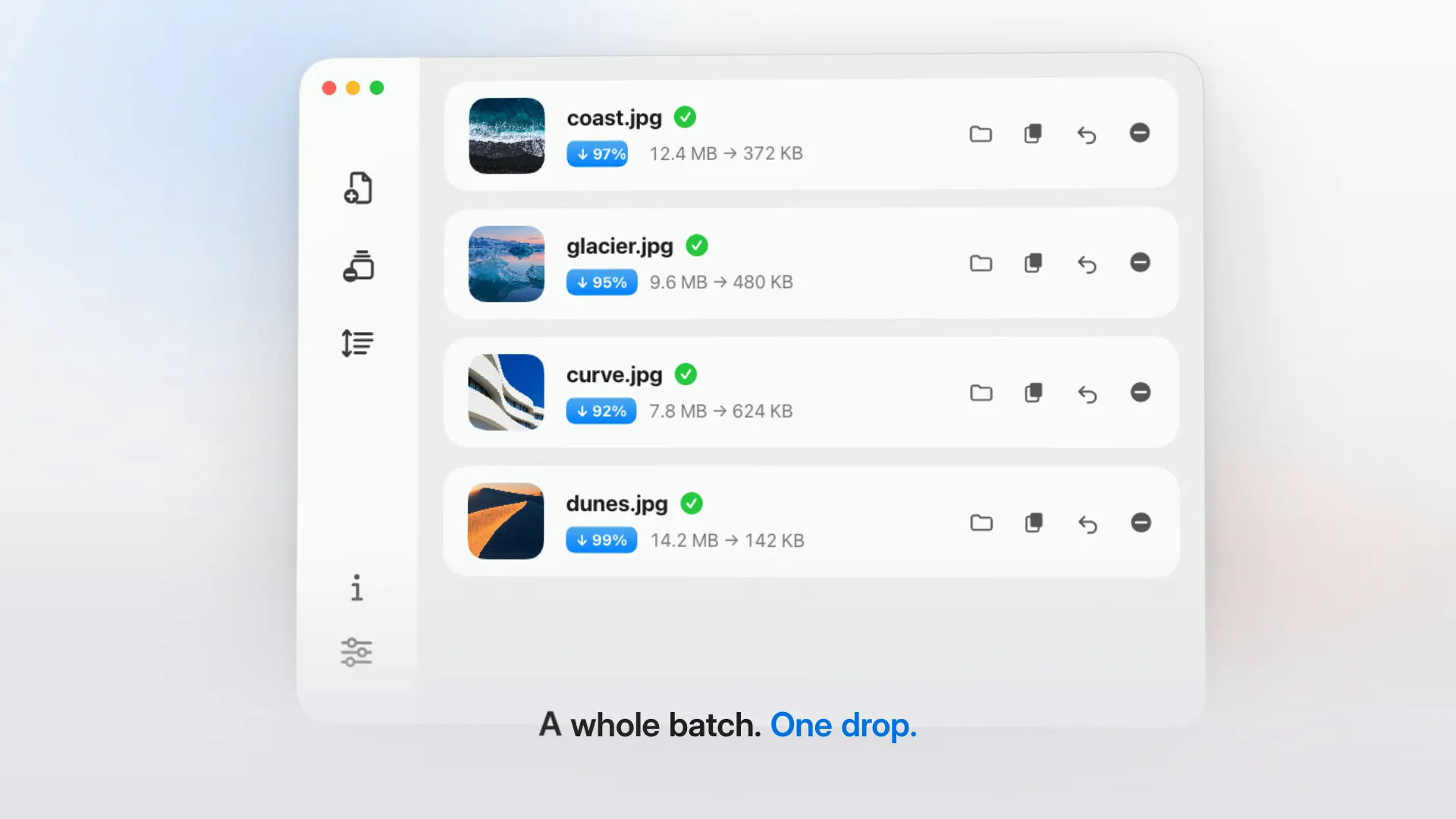
Zipic is an image compression app for Mac and Windows that processes everything locally, so images are never uploaded and it works offline. Compress single files or whole batches by drag and drop, the Open button, the menu bar or the Finder right-click menu, choosing from six compression levels. You can resize images, convert between formats and save by replacing originals, adding a suffix or picking a location, and custom presets switch with one click. It supports JPEG, PNG, WebP, HEIC, AVIF, JPEG XL, TIFF, GIF, PDF, SVG, APNG and ICNS. Pro adds Notch Drop, clipboard auto-compress, folder monitoring, metadata preservation and integrations with the zipic CLI, Apple Shortcuts, Raycast, a URL scheme and Finder quick actions.
Key Features:
- Batch Compression: drag, drop and shrink many images at once
- Six Compression Levels: balance size and quality
- Resize and Convert: change formats and dimensions
- Wide Format Support: JPEG, PNG, WebP, HEIC, AVIF and more
- Pro Automation: folder monitoring, Shortcuts, Raycast and CLI
Zipic makes image compression fast and private, free for 25 compressions a day with a one-time Personal license from $29.99.