The Best Thunderbird Alternative for Mac (2026)
Looking for a Thunderbird alternative on Mac? We compare Thunderbird and MailVault on local email backup, archiving, privacy, search and price.
In this guide+
Thunderbird has been the stock answer to “what's a good free email app?” for about twenty years. It's open source, it runs everywhere, and it never tries to sell you anything. So why do so many Mac users go looking for a Thunderbird alternative? In my experience it's one of three things: it doesn't feel at home on macOS, its storage format makes backups a chore, or their Gmail is full and they want to clear it out without losing a thing.
That last one is where MailVault shines. It's a free, privacy-first email app that keeps your mail on your computer as plain .eml files, and it's the alternative I'd point most Mac users to in 2026. Below is an honest comparison, including the cases where Thunderbird is still the better pick.
Quick verdict
| MailVault | Thunderbird | |
|---|---|---|
| Best for | Owning and archiving your email locally | A free, all-in-one mail suite with add-ons |
| Price | Free; Premium from €25/year | Free (donation-funded) |
| Platforms | macOS, Windows, Linux | macOS, Windows, Linux |
| How mail is stored | One plain .eml file per message | mbox by default (one big file per folder) |
| Archive and delete from server | Built in, with verification on Premium | Manual: move mail to Local Folders first |
| Tracker protection | Flags trackers; Premium strips them | Blocks remote images by default |
| Calendar and contacts | No, it's focused on email | Yes, built in |
| Account with the developer | None, mail never touches their servers | None required |
Short answer
If you want a safe, readable copy of all your email and a way to free up space in Gmail or Outlook, get MailVault. If you live in a built-in calendar, OpenPGP and add-ons, stay with Thunderbird.
Why people look for a Thunderbird alternative on Mac
To be clear, Thunderbird isn't a bad app. The “Supernova” redesign made it much nicer, and the team now ships updates every month. But the same complaints keep coming up from Mac users:
- It doesn't feel like a Mac app. Thunderbird uses Mozilla's own cross-platform toolkit, so menus, settings and shortcuts behave a little differently from everything else on your Mac.
- Backups are awkward. Your mail sits in mbox files buried inside a profile folder. You can copy the folder, but digging a single message out of it years later is no fun.
- Freeing up server space is risky. Delete an IMAP message in Thunderbird and your local copy goes too, unless you remembered to move it to Local Folders first.
- It's a lot of app. Calendar, tasks, chat, RSS, add-ons. Great if you use them, clutter if you just want email.
What is MailVault?

MailVault
FreemiumIn our directoryYour email. Yours to keep.
A fast, private email client for macOS, Windows and Linux that keeps your mail on your computer. There's no MailVault account, and your messages never pass through its servers.
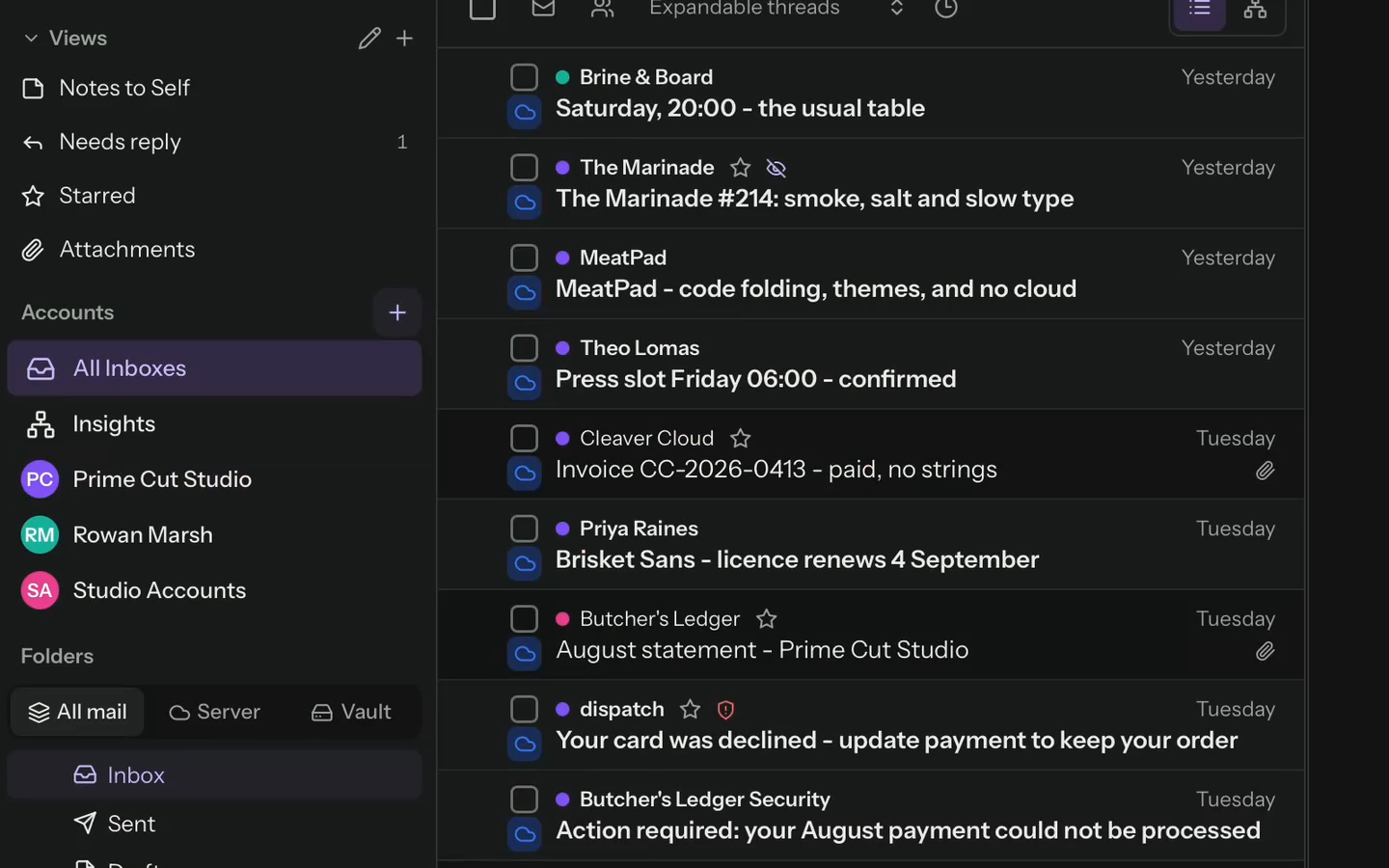
View on TryMacApps→The idea behind MailVault is simple: your email should belong to you, not sit on a server you rent from Google or Microsoft. It connects straight to Gmail, Outlook.com, Microsoft 365, iCloud, Yahoo or any IMAP account and saves every message as a normal .eml file in what it calls the Vault. Those files open in Apple Mail, Outlook, Thunderbird and pretty much anything else, so you're never locked in.
MailVault vs Thunderbird: the details
Backups and archiving
This is the big one. MailVault backs up a whole mailbox in a click, and manual backups are unlimited on the free plan. You can then archive and delete old mail from the server while the local copy stays put. Premium checks that every message actually landed in the Vault before anything is deleted, which is exactly the safety net you want before wiping ten years of Gmail. Thunderbird can get you roughly the same result, but it means setting up Local Folders, dragging mail across by hand, and usually installing the ImportExportTools NG add-on if you want individual .eml files.
Privacy and safety
Both apps respect your privacy out of the box. Thunderbird blocks remote images, which stops a lot of tracking pixels. MailVault goes further: it tells you which emails carry trackers, warns you when a link's text doesn't match where it really goes, and verifies senders so spoofed mail is easier to spot. Premium can strip trackers out entirely.
Organizing your inbox
Thunderbird has folders, tags, saved searches and filters. They work, but they feel a bit 2008. MailVault lets you build your own inboxes from custom views, add custom fields to messages (an invoice amount, say, or a client name) and set up tagging rules that run on their own. Search happens locally, so it's quick and your queries never leave your Mac. There's even a chat-style view that lays out long back-and-forth threads like a messaging app, which is nicer than it sounds.
Pricing
| Plan | MailVault | Thunderbird |
|---|---|---|
| Free | The full app, every account type and unlimited manual backups | Everything |
| Paid | Premium from €25/year: scheduled backups, verified archive-and-delete, Time Capsule snapshots and tracker stripping | Optional donations |
Thunderbird wins on price, no argument there. But MailVault's free tier isn't a trial. You get the whole email client and unlimited backups for good. Premium is for people who want backups to run on a schedule and Time Capsule snapshots they can go back to.
When Thunderbird is still the better choice
I'd rather you end up with the right app than the one I'm recommending, so stick with Thunderbird if:
- You rely on its built-in calendar, tasks and address book.
- You use OpenPGP or S/MIME encryption every day.
- Your workflow depends on specific add-ons.
- You want a fully open-source app with nothing paid at all.
Who should switch to MailVault
- Your Gmail or Outlook storage is nearly full and you don't want to delete anything for good.
- You want an email backup you can still open in ten years.
- You care about trackers, phishing links and spoofed senders.
- You'd like custom inboxes and rules without learning a filter language.
- You switch between Mac, Windows and Linux and want the same app on each.
How to switch from Thunderbird to MailVault
- 1Download MailVault from mailvaultapp.com and open it. There's no account to create.
- 2Add your email accounts: Gmail, Outlook.com, Microsoft 365, iCloud, Yahoo or any IMAP server.
- 3Run your first backup so every message is saved to the Vault as an .eml file.
- 4Got old mail sitting in Thunderbird's Local Folders? Export it as .eml with ImportExportTools NG and keep it next to your Vault.
- 5Once you're happy everything is there, archive and delete old mail from the server to free up space.
The bottom line
Thunderbird is a solid, free, do-everything mail suite, and if you live in its calendar or add-ons there's no reason to leave. But most people searching for a Thunderbird alternative on Mac want something more focused: a clean email app that keeps a real copy of their mail on their own disk and makes clearing out a full inbox safe. That's what MailVault does best, and since the full app is free, trying it costs you nothing.
Frequently asked questions
What is the best Thunderbird alternative for Mac?+
For most people it's MailVault. It's free, works with Gmail, Outlook, iCloud, Yahoo and any IMAP account, and stores your email locally as plain .eml files with built-in backup and archiving.
Is MailVault free?+
Yes. The full app and unlimited manual backups are free forever. Premium, from €25 a year, adds scheduled backups, verified archive-and-delete, Time Capsule snapshots and tracker stripping.
Can MailVault back up Gmail on a Mac?+
Yes. It saves your Gmail messages to your Mac as .eml files, and you can then delete them from Gmail to free up storage while your local copy stays safe in the Vault.
Does MailVault store my email on its servers?+
No. There's no MailVault account and your mail never passes through its servers. The app talks directly to your email provider.
Is Thunderbird still worth using in 2026?+
Yes. It's free, open source and actively developed. It's the better fit if you need a built-in calendar, OpenPGP encryption or add-ons.
Discover more great Mac apps
Browse our growing directory of beautiful, useful Mac apps from developers around the world.
Explore the directory →