The Best 1Password SSH Agent Alternative for Mac (2026)
Looking for a 1Password SSH agent alternative on Mac? We compare 1Password and NullKey on key security, Touch ID, git and ssh setup, 2FA and price.
In this guide+
1Password's SSH agent is one of the nicest things to happen to SSH keys on the Mac. Your keys move out of ~/.ssh and into your vault, Touch ID approves each use, and ssh and git just work. So why look for an alternative? Usually for one of two reasons: you don't want to pay for a password manager just to sign git commits, or you want a key that can't be exported, synced or stolen at all, even if your vault is.
That second reason is exactly what NullKey is built for. It creates SSH keys inside your Mac's Secure Enclave, runs a local SSH agent for ssh and git, and it's free on the Mac App Store. Below is an honest comparison, including the cases where 1Password is still the better pick.
Quick verdict
| NullKey | 1Password SSH agent | |
|---|---|---|
| Best for | Keys that can never leave your Mac | Keys that sync across all your devices |
| Price | Free | Included with a 1Password subscription |
| Where the private key lives | Generated inside the Secure Enclave, non-exportable | In your encrypted 1Password vault |
| Can the key be copied? | No, not even by the app | Yes, it can be exported or synced |
| Touch ID | Per key: every signature, or sign silently | Approves key use, with a configurable session |
| Works with ssh, git, gh | Yes, via a local agent | Yes, via a local agent |
| 2FA codes | Built-in Authenticator sealed in the Enclave | Built in |
| Account or network | None, no data collection | 1Password account required |
Short answer
If you want SSH keys that are physically impossible to copy off your Mac, without paying for anything, get NullKey. If you need the same key on several machines, or your team already shares keys through 1Password, stick with 1Password.
Why developers look for a 1Password SSH agent alternative
The 1Password agent is genuinely good. But a few things keep sending people to look elsewhere:
- The key can still be exported. It's encrypted in your vault, but it exists as data that can be synced, exported or exposed if the vault is ever compromised.
- It's a subscription. Paying monthly makes sense if you use 1Password for everything. It's a lot just for SSH.
- It needs 1Password running. The agent only works while the app is running, and it's tied to your 1Password account.
- Some people want hardware-backed keys without carrying a YubiKey around.
What is NullKey?
NullKey
FreeIn our directorySSH keys in the Enclave.
A Mac app that creates SSH keys inside your Mac's Secure Enclave and runs a local SSH agent so ssh and git can authenticate with them. Free on the Mac App Store.
View on TryMacApps→The Secure Enclave is a separate security chip built into Apple silicon and T2 Macs. When NullKey creates a key there, the private half is generated inside the chip and is non-exportable by hardware design. It never exists in memory or on disk, so malware, a stolen backup or a leaked dotfiles repo can't take it. NullKey can only ask the Enclave to sign. You copy the public key into GitHub, GitLab or authorized_keys, add a one-line SSH config, and ssh, git and the GitHub CLI work as before.
NullKey vs 1Password: the details
Key security
This is the big one. 1Password keeps your private key encrypted in your vault and never hands it to the SSH client, which is a big step up from a key file in ~/.ssh. NullKey goes one level further: the key is created in hardware and can't be read by anyone, including NullKey itself. The trade-off is the flip side of that guarantee. You can't back the key up or move it to a new Mac, so on a new machine you create a fresh key and add its public half to GitHub again. For most developers that's a two-minute job and a fair price for a key that can't leak.
Touch ID and day-to-day use
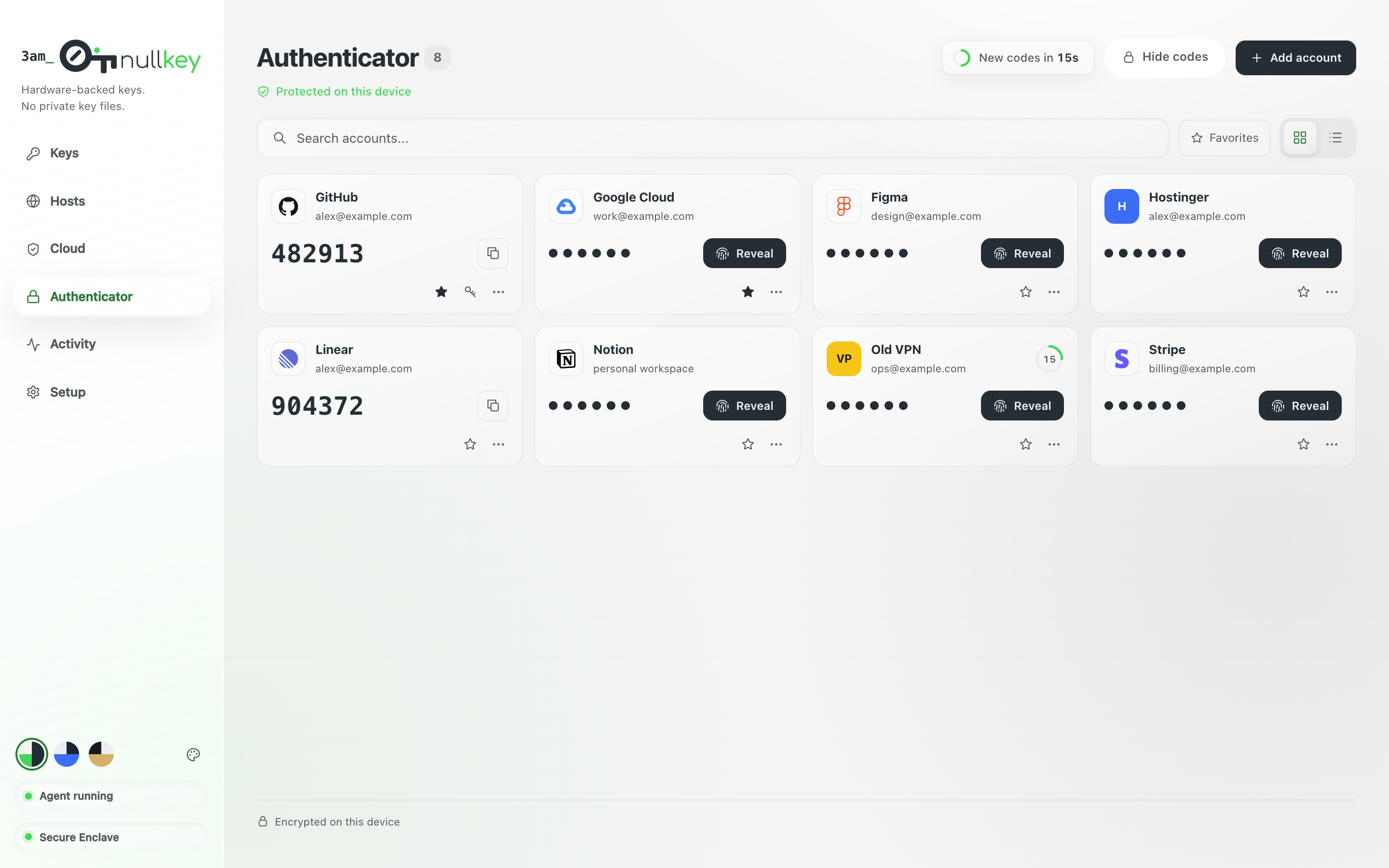
Both apps ask for Touch ID. In 1Password, approval is tied to the app's lock state and session. In NullKey you decide per key when you create it: require Touch ID for every single signature, or sign silently while the app is running. A common setup is a Touch ID key for production servers and a silent key for signing git commits. NullKey also keeps an activity log of every signature the agent serves, so you can see exactly what used your key and when.
Beyond SSH
1Password is a full password manager, so it naturally does far more. NullKey stays focused on developer credentials: an Authenticator for 2FA and backup codes sealed in the Secure Enclave, SSH host management, and AWS and GCP access. It has no account, no network access and no data collection.
Pricing
| Plan | NullKey | 1Password |
|---|---|---|
| Free | Everything: Secure Enclave keys, SSH agent, Authenticator and activity log | Free trial |
| Paid | Nothing to buy | A 1Password subscription (individual, family or business) |
When 1Password is still the better choice
I'd rather you end up with the right setup, so stick with 1Password if:
- You need the same SSH key on several Macs, or on Windows and Linux too.
- Your team shares deploy keys through shared vaults.
- You already pay for 1Password and want everything in one app.
- You need ed25519 or RSA keys specifically. The Secure Enclave only creates ECDSA P-256 keys, which GitHub, GitLab and modern OpenSSH servers all accept.
Who should switch to NullKey
- You want hardware-backed SSH keys without buying a YubiKey.
- You sign git commits and push to GitHub or GitLab from one main Mac.
- You don't want to pay a subscription just for an SSH agent.
- You want to see every signature your key has made.
- You'd like your 2FA codes sealed in hardware too.
How to switch from 1Password to NullKey
- 1Install NullKey from the Mac App Store and open it. There's no account to create.
- 2Create a key and choose whether every signature needs Touch ID.
- 3Copy the public key into GitHub, GitLab or your server's authorized_keys.
- 4Point SSH at NullKey's agent with the one-line config the app gives you, replacing the IdentityAgent line for 1Password.
- 5Test with ssh -T git@github.com, then remove the old key from GitHub once everything works.
The bottom line
1Password's SSH agent is excellent if you already live in 1Password and need your keys everywhere. But if what you really want is an SSH key that can't be stolen, NullKey is the stronger setup: the key is born in your Mac's Secure Enclave and never leaves it. It works with ssh, git and the GitHub CLI out of the box, and since it's free, trying it costs nothing.
Frequently asked questions
What is the best 1Password SSH agent alternative for Mac?+
For most developers on one Mac it's NullKey. It's free, creates SSH keys in the Secure Enclave that can never be exported, and works with ssh, git and the GitHub CLI through a local agent.
Is NullKey free?+
Yes. NullKey is free on the Mac App Store, with no account and no in-app subscription.
Can I back up a NullKey SSH key?+
No, and that's the point. The private key is created inside the Secure Enclave and can't be exported. On a new Mac you create a new key and add its public key to GitHub or your servers.
Does NullKey work with GitHub?+
Yes. Copy the public key into your GitHub SSH keys and git, ssh and the GitHub CLI authenticate through NullKey's agent.
How is NullKey different from Secretive?+
Both keep SSH keys in the Secure Enclave. NullKey adds an Authenticator for 2FA and backup codes, SSH host management, AWS and GCP access, and an activity log of every signature.
Discover more great Mac apps
Browse our growing directory of beautiful, useful Mac apps from developers around the world.
Explore the directory →